


|
Coldfusion dropping session ID in fusebox application |
||||||||
I recently rolled out beta version of a new application I've been writing, only to discover that there was a bizarre session problem that didn't exist in dev, but does in live.
I've worked it out, but I thought I'd explore it some more. It is a fusebox 5.5 non xml application. The error I had was that as soon as I made a call through a "new" circuit, IE one I hadn't called before ColdFusion would generate a new session ID, and thus invalidate my current active session.
Looking through my application CFC I had this line of code present.
Setting this to true fixed the issue. This is because ColdFusion relies on the CFID and CFTOKEN to maintain the session state. You can either pass these two variables through the URL on every page request, which is a bit messy, or you can use a cookie. It is the variable above that lets the application use cookies on the user's session.
The problem with setClientCookies is that it is persistent, IE it is built for that session, and left on the user's pc, even after the session has expired, or they have left the application. Also some users will accept per-session cookies, but not persistent session cookies.
They are a lot more secure as per-session cookies, as they cannot be duplicated and hacked to spoof a previous user's session, and if you pass the token through the URL it is easy changed.
You could put something like this in your onRequestend function in application.cfc
2IsDefined("Cookie.CFTOKEN")>
3<cfset cfid_local = Cookie.CFID>
4<cfset cftoken_local = Cookie.CFTOKEN>
5<cfcookie name="CFID" value="#cfid_local#">
6<cfcookie name="CFTOKEN" value="#cftoken_local#">
7</cfif>
This will make them per-session. I originally thought that it was something to do with the Fusebox framework, but I had overlooked the simple fact that it was still a new page request, so would be lost. Although this doesn't explain why I wasn't getting this error in my development environment but did in live.


|
Gmail Stripping styles out of html elements in emails |
||||||||
A recently 'feature' that has been added to Google is the way they are handling un styled elements.
In the last few weeks Gmail has started stripping the paragraph margins from its HTML emails. Basically is destroys the spacing from P tags, so that instead of being new lines, they are more like line breaks.
Checking the element in firebug shows that:
If you disable the style, then the html reverts to back to what you probably thought it should look like.
I'm guessing that as Gmail hasn't found an associated style with the element (P) it is applying its own.
You could change all the inline P's:
But that's hassle and not best practice really. I'll apply a CSS fix to it, and see if Gmail accepts that.
|
Apostrophe ( ' ) display issues |
||||||||
It appears that the character entity ' is not a valid HTML entity. It was just XML, and thus XHTML.
If you are using a browser that doesn't support XHTML then you probably shouldn't use it, as it will appear as a normal text string. I found this whilst testing something in IE 8, as that is not XHTML compliant.
So just use the ' character, or if you really feel that you have to escape it use:
'
Just be careful with that one, as it will cause coldFusion to flip out. Then you may need to escape your escape characters, and then where will you be?
|
Firefox not displaying Google maps generated images |
||||||||
My latest Google maps lookup template was not working in Firefox 3.n. It was working fine in IE 8 (and 8) so I thought maybe IE was compensating for some shaky JavaScript code, and 'working out' what I was trying to do and fixing it for me.
After spending half an hour painstaking going through my Google JavaScript and removing everything out of my FuseBox framework, just in case anything was mysteriously interfering, I was at a dead end.
A quick flick around online and it seems that there is a setting in FireFox that blocks this sort of functionality.
- Type 'about:config' (without quotes) in the browser's address bar.
- Type 'image' (without quotes) in the 'Filter' field.
- Verify that 'dom.disable_image_src_set' is set to FALSE.
- Verify that 'permissions.default.image' is set to 0 (the default setting).
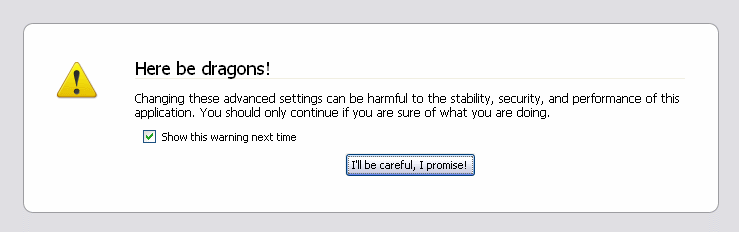
For some reason in my FireFox installation the 'permissions.default.image' was set to 1, which blocks the function return from Google.
Google has a tech note on it here:
http://maps.google.com/support/bin/answer.py?answer=18529&topic=10789
It is really frustrating when 'controls' are set outside of the development environment. Now to put all my code back!


