


|
Misleading email-con about domain search engine submission |
||||||||
One of my domains was coming up for renewal recently, it was already renewed, I'd taken care of it, done deal. I'm guessing that this rather opportunistic company was monitoring domain renewals and spotted an opportunity.
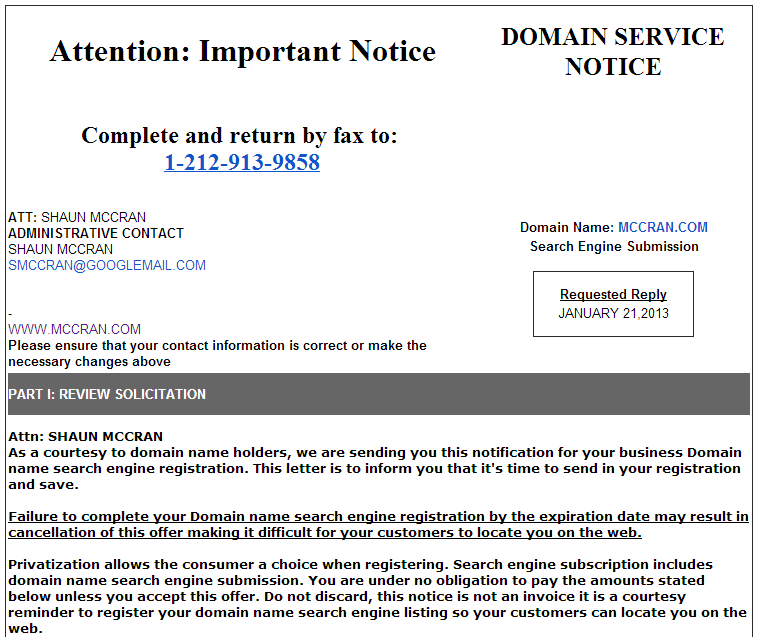
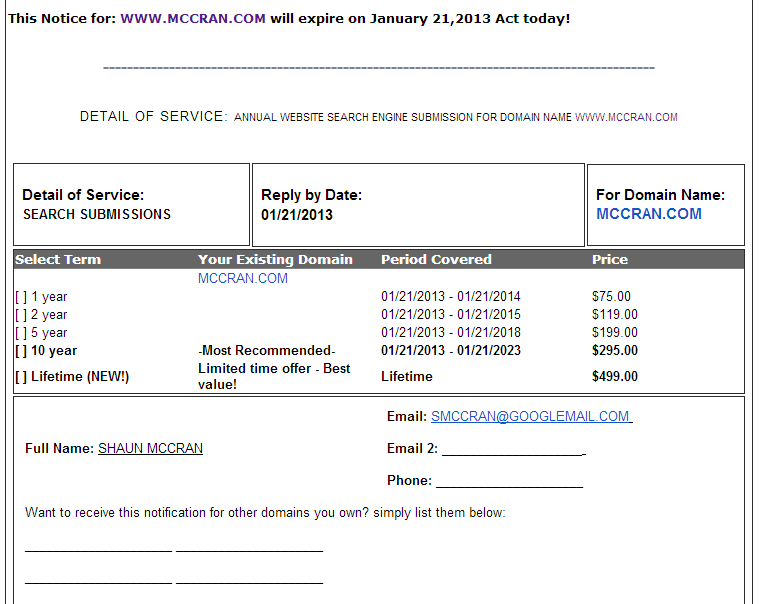
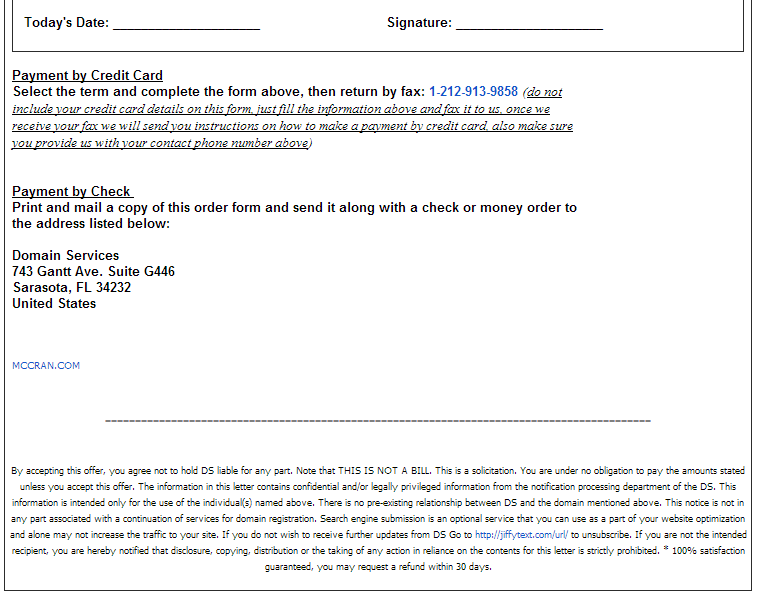
Then I got a rather bizarre looking email. It looked a lot like an invoice, and was sneakily designed and worded to look like a domain related issue. It uses lots of semi scare mongering terminology and shock value statements about offers expiring! And last chance to make sure things are in place!
The whole thing is a con to try and get you to sign up to a 'search engine submission' service. Which anyone in web technology will tell you isn't managed in this way at all. I mean it can be, but only if you want to pay over the odds for a service that largely takes place by itself, or with minimal management from a web administrator.
Shocking behaviour from this company, its not very convincing if you are technically aware, but for 'Joe public' could cause a random outburst of knee-jerk payment. Warn your less tech aware relatives.
[Screen shot of email below]


|
How Business and Government are trying to manage your Google experience |
||||||||
Governments and businesses are continually trying to interfere with how users find their web content. Not by the same means as developers and marketers, IE good SEO principles and an actual strategy, but by trying to change fundamental elements of the search system.
|
Google is tweaking my search results |
||||||||
...And I don't really like it.
Maybe Google thinks that it is serving up more relevant results as it is filtering down the results based on things I've said or done, and things either Twitter or Facebook contacts have said.
|
Bulmers Cider using QR codes to track and target landing pages |
||||||||
QR codes have been around for a while now but often people struggle to see any real value in them, or how to use them and obtain measurable results.
This blog article describes how the UK Cider manufacturer Bulmers have added a QR code onto their product labels and are effectively tracking QR scans through to a specific landing page within their site.


