


|
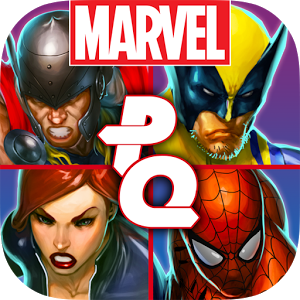
Micro transaction madness with Marvel Puzzle Quest |
||||||||
I'm a big fan of Puzzle games, and Marvel, so what could be better than a Marvel themed puzzle game?
The game itself is a classic three-in-a-row puzzle game just like the previous versions of Puzzle Quest games. It's the now 'classic' model of free-to-play but with in-game micro transactions through it. There are several resources used in the game, Iso-8 which is used to upgrade your hero's level and hero points, which are basically coins that you can use to but team slots to hold more characters, or to buy skills for characters.
You can play the game without purchasing anything at all, which is my preference or you can spend upwards of £80.00 on all the extras. Personally if it was priced at a sensible mobile price point I would have happily purchased it, it's the sheer volume of micro transactions present that is annoying. I don't know how or why the trend for Micro transactions started but the model is abhorrent. This whole game feels like a vehicle for micro transactions. Every way you try and play it you are faced with a transaction. The only other option is such soul crushing repetition that the game is almost unplayable. You really have to purchase a wealth of content if you want to even see half of the characters and powers in this game. |
 |
This is a real shame as the game is quite enjoyable, its just that the constant barrage of 'purchase me' advertising really starts to intrude on your enjoyment of actually playing the game. It feels like there is more 'purchasing advertisements' than puzzle matching.
So, I'd stay away from this game. Marvel should release a non 'free to play' version at £9.99 or £14.99 with all the content unlocked. I'd be happy to purchase in that model. Micro Transactions hidden in the 'free to play' games are a blight on the games industry. Its false advertising, plain and simple. There needs to be a change in policy, and a change in terminology, as this terms is just lies.


|
Where is Google music stored on the Android OS? |
||||||||
Having a dig around on the mobile I couldn't find the music files anywhere. How was I to copy my music? Turns out that Google Music stores the music files in a sector of the memory card that you cannot access unless you have root access.
So you cannot move them around easily. Also watch out for the fact that Google Music applies its own indexing system so all your files are renamed to match a cloud based index database. They have numeric names now instead of the original ones. To work out what each song is you'll have to listen to them each in turn.
|
My Samsung Galaxy Tablet 10.1 review - Part 2 |
||||||||
Continuing on from my previous article I have been reviewing the Samsung Galaxy Tablet 10.1. I've had the tab a month now and I thought I'd document my findings.
You can read the previous article here: http://www.mccran.co.uk/index.cfm/2011/10/4/My-Samsung-Galaxy-Tablet-101-review--Part-1
Part 2 deals with the software layer and my summary.
|
My Samsung Galaxy Tablet 10.1 review - Part 1 |
||||||||
I've had a Samsung Galaxy Tab 10.1 for around a month now so I thought I'd document my findings. This is part one of a two part article. In this part I deal with the Tab out of the box and the Hardware.
I'm familiar with the Android OS but all my previous devices have been HTC branded so they have had Sense installed on them, also this was my first tablet device so I expected a learning curve.


