


|
Archimate Architecting and Modelling tools – Built on Eclipse |
||||||||
If you've ever wanted to design the flow of an application before launching into the code base or front end CSS then Archimate is for you.
It is an open source platform that allows you to use an "independent Enterprise Architecture modelling language that supports the description, analysis and visualization of architecture within and across business domains." Roughly translated it allows you to draw different shaped boxes with connectors to show the layout and flow of your applications.


|
Backing up your SMS and MMS to GoogleMail from an Android device |
||||||||
This article explains how I used the 'Backup to Gmail' application to backup all my SMS and MMS messages.
|
Web Accessibility 101 - Validation and Testing |
||||||||
This article will discuss different ways to Validate and Test your projects for Accessible criteria, including using standard web browsers and screen readers. I'll also list some of the more popular testing tools I've come across.
This is the third in a series of planned articles dealing with Web Accessibility. In this series I will cover what is Accessibility, how to build Accessibility into web projects, how to test and validate for Accessible users and some other factors to keep in mind when dealing with Accessibly minded projects.
|
Streaming media to Xbox 360's and PS3's using Twonky Media Suite |
||||||||
I run a windows server 2003 pc at home, server 2003 is a great little web server that can handle multiple roles, including file storage. Unfortunately it is not Upnp (universal Plug and Play) so will not stream media directly to media players like Xbox 360 consoles, and the Playstation 3.
The traditional (and recommended) solution to this is to stream the media through another more modern operating system that has upnp / dnla connections that reside in Windows Media player. This can restrict where you store files on a network, I for one do not want to store media on a desktop machine that I rebuild every 4-6 months.
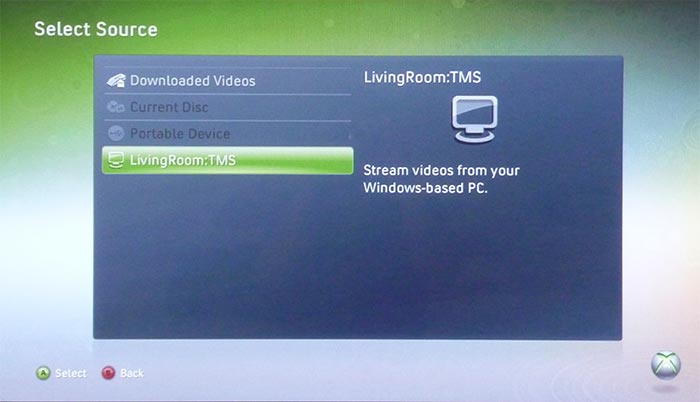
Another solution to this is to use a software application that acts as a translation layer. There are a few around, but the one I've been testing out recently is the Twonky Media Suite. It installs as a software service, and sits quietly in the background and serves up any media requests that hit it. It also appears on the network as a Upnp device, so it will be found by media players, and consoles.
http://twonkymedia.com/products/twonkymanager/default.aspx
Simply install the trial version, in the setup manager point to your media directories, and then fire up your media player. It will find it and allow you to browse through the different media types, completely bypassing the need for windows media center connections, or operating systems that are a little too old to know about Upnp or dnla.


